

Adjust Filesize Limits
wanderer brings several mechanisms which allow limiting the maximum file size of content provided by users. Pictures in the users profile, trail highlights and gpx tracks fall under this file size limit.
Body Size Limit
Section titled “Body Size Limit”The BODY_SIZE_LIMIT is a setting for the frontend, which fails requests if their payload is too large with an 500: Payload Too Large error.
The standard value for this setting is 512kb.
To adjust it, configure the BODY_SIZE_LIMIT Environment Variable to a value of you liking.
To disable this limit entirely you can set this variable to Infinity.
export BODY_SIZE_LIMIT=InfinityBackend Filesize Verification
Section titled “Backend Filesize Verification”After the file passes the middleware, PocketBase does an additional verification on the file uploaded. This verification includes a check for a maximum file size.
If this verification does not pass the request is terminated with a 500: error validation_file_size_limit
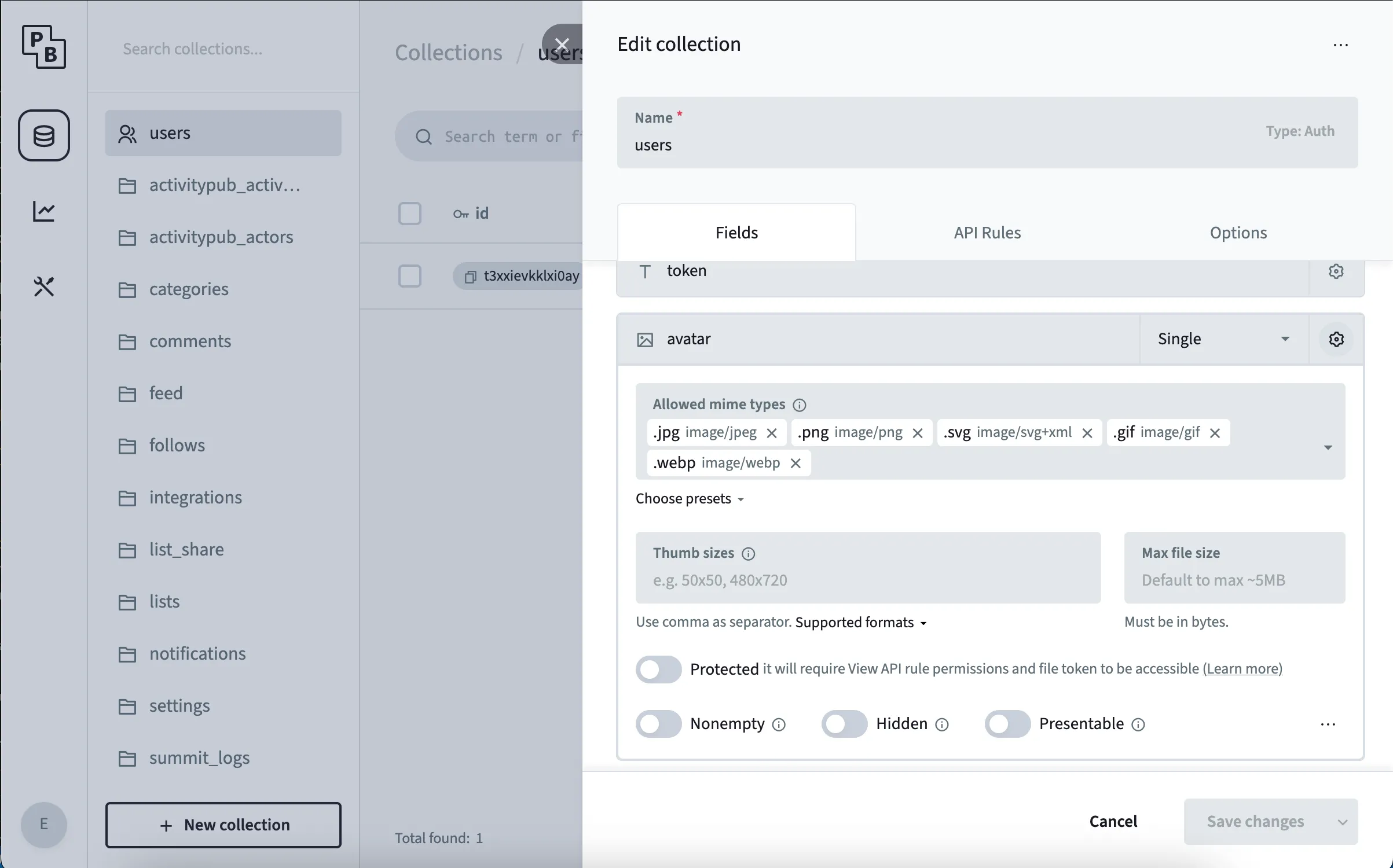
To change this behaviour open the PocketBase admin panel and navigate to the designated table.
Click the gear icon at the top to open the table’s settings and select the gear icon in the row you want to change.
Adjust the Max File Size property.