

Custom categories
wanderer uses categories to classify what kind of activity a trail belongs to. Out of the box you get: Biking, Canoeing, Climbing, Hiking, Running, Skiing and Walking. Some broad categories also have subcategories, for example Biking can be refined into MTB, Gravel, Road or E-Bike. You can adapt this taxonomy to your needs in the PocketBase admin panel.
Modifying categories
Section titled “Modifying categories”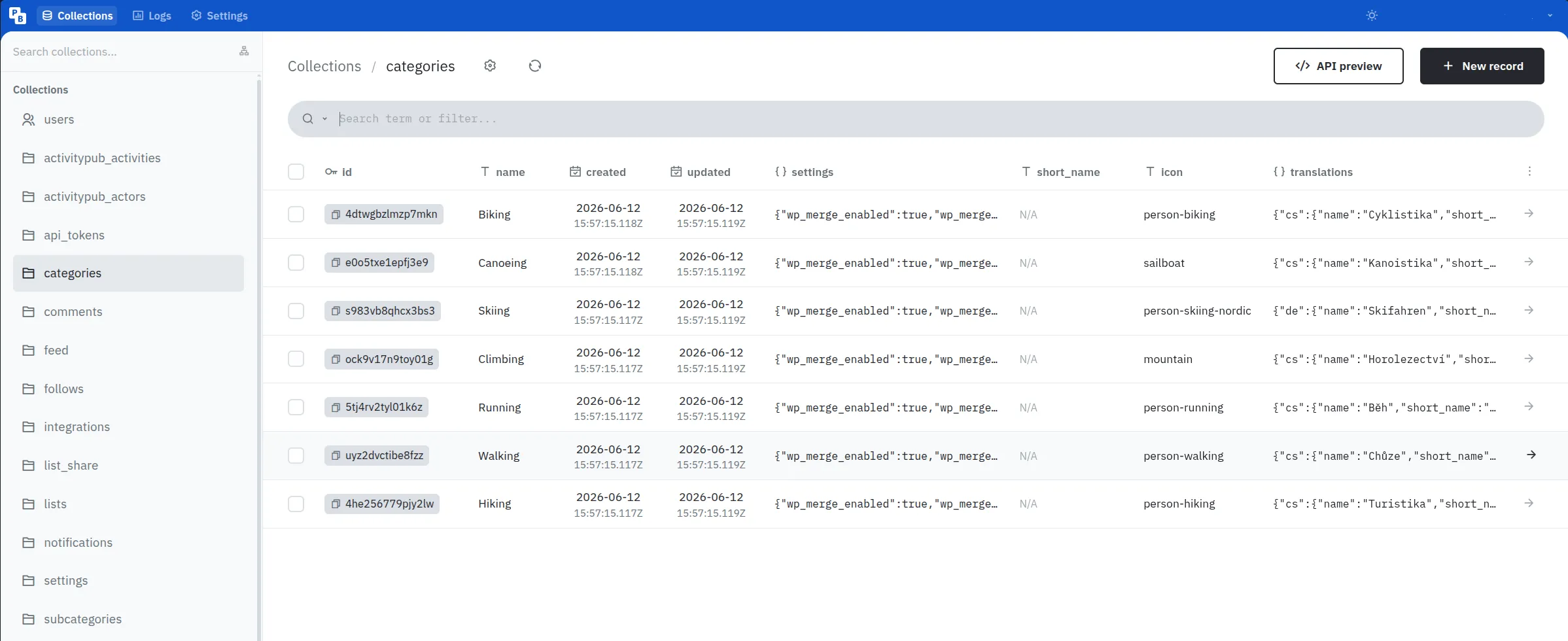
In the PocketBase admin panel, click on the categories table in the list on the left side.
All existing categories will be listed here.
To edit one simply click on the row, edit the data you want to change, and click “Save”.
To delete a category check the box at the beginning of the row and click “Delete selected”.
To create a new category click the “New record” button in the top right corner, give your new category a name, optionally fill in display metadata such as short_name, icon, or localized translations, and click “Save”.
The category name is the canonical, language-independent identity.
Use stable names such as Hiking or Biking; display labels in different languages should be stored in translations.
Incoming federated trails and integration imports match categories by a normalized version of name, so changing a category name can affect future matching.
Category fields
Section titled “Category fields”| Field | Description |
|---|---|
name |
Canonical category name. This is used for matching across imports and federation. |
short_name |
Optional compact label for space-constrained UI. |
icon |
Optional Font Awesome Free icon name without the fa- prefix, for example person-hiking. |
translations |
Optional localized display labels. |
settings |
Optional JSON settings for category-specific backend behavior. |
translations uses supported base locale codes such as de, en, fr, or pt as keys.
Do not use region-specific keys such as de-CH or pt-BR; the frontend resolves user locales to their base locale before looking up category translations.
Example:
{ "de": { "name": "Radfahren", "short_name": "RAD" }, "en": { "name": "Biking", "short_name": "BIKE" }}Modifying subcategories
Section titled “Modifying subcategories”Subcategories live in the subcategories table and act as optional refinements below a single parent category. Their names only need to be unique within that parent, so Road can exist under both Biking and Running at the same time.
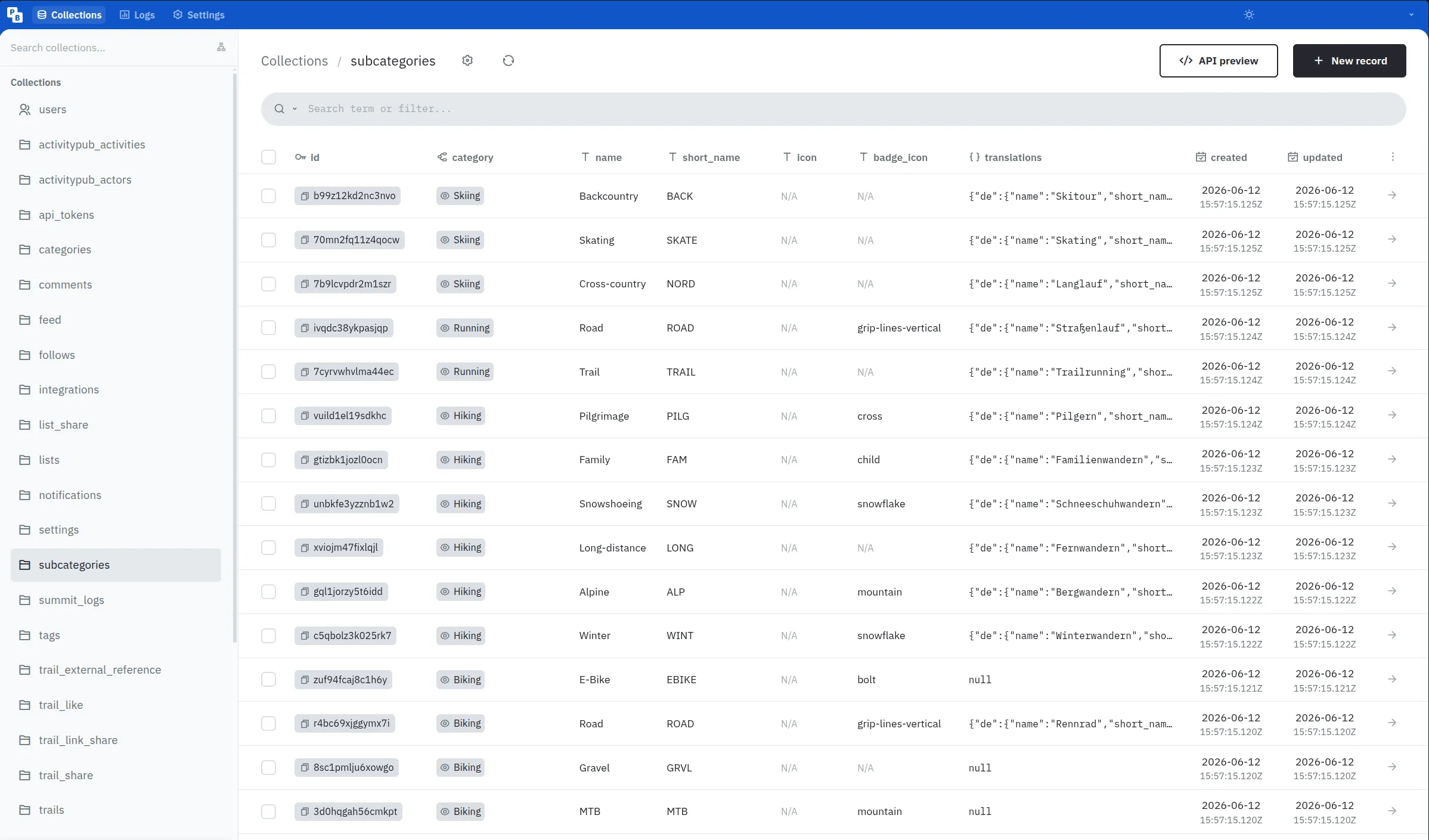
To add one, create a new record in subcategories, choose its parent category, set a canonical name, and optionally add display metadata.
Subcategory fields
Section titled “Subcategory fields”| Field | Description |
|---|---|
category |
Required parent category. |
name |
Canonical subcategory name, unique within the parent category after normalization. |
short_name |
Compact label shown in icon-based filters, for example MTB, GRVL, or ROAD. |
icon |
Optional Font Awesome Free icon name. If empty, the parent category icon is used. |
badge_icon |
Optional Font Awesome Free overlay icon, for example snowflake, mountain, bolt, or cross. |
translations |
Optional localized display labels, using the same structure as category translations. |
Most subcategories should reuse the parent category’s icon and rely on short_name — plus a badge_icon where it helps — to set themselves apart, rather than each carrying a distinct full icon. You can browse available icon names at fontawesome.com.
Migrating old custom categories
Section titled “Migrating old custom categories”If your instance already had custom categories such as MTB or Gravel that now overlap with a default subcategory, you can reassign the affected trails in bulk from the web UI. See Categories for the step-by-step migration path.
Category settings
Section titled “Category settings”Categories can optionally define additional settings in the settings JSON field.
This field may be left empty.
When no settings are configured, wanderer uses the built-in defaults.
Currently, the following setting is supported:
{ "wp_merge_enabled": true, "wp_merge_radius": 50}wp_merge_enabled controls whether geotagged photos are grouped into waypoint clusters.
Set it to false to create one waypoint per photo.
wp_merge_radius controls how close geotagged photos have to be to each other, in meters, before they are grouped into the same waypoint when adding waypoint photos to a trail.
Set it to 0 to only merge photos with the exact same coordinates, or increase the value to merge photos across a wider area.