

Adjust Filesize Limits
wanderer brings several mechanisms which allow limiting the maximum file size of content provided by users. Pictures in the users profile, trail highlights and gpx tracks fall under this file size limit.
Body Size Limit
Section titled “Body Size Limit”The BODY_SIZE_LIMIT setting controls both the frontend adapter’s request ceiling and the multipart upload limit. The provided Docker Compose configuration defaults to 2G, which accommodates 99 photos at the default 20 MiB field limit, a GPX file and multipart headers in one request. The provided image and npm start launch the web server through server.js, which uses 2G when the variable is unset. An invalid value logs a warning and also uses 2G at this startup step. Set Infinity to allow uploads of any size by signed-in users, as in previous Compose configurations.
Upload routes authenticate before reading or parsing multipart bodies. Other route limits remain fixed: login 64 KiB, ActivityPub inbox 2 MiB and ordinary requests 1 MiB.
When raising the backend file limits, set the single BODY_SIZE_LIMIT Environment Variable high enough for all files in a request plus multipart headers. For Docker Compose, set it in the .env file beside docker-compose.yml; source deployments can export it before starting the web server. Check the reverse proxy’s request limit as well.
BODY_SIZE_LIMIT=3GBackend Filesize Verification
Section titled “Backend Filesize Verification”After the file passes the middleware, PocketBase does an additional verification on the file uploaded. This verification includes a check for a maximum file size.
If this verification does not pass the request is terminated with a 500: error validation_file_size_limit
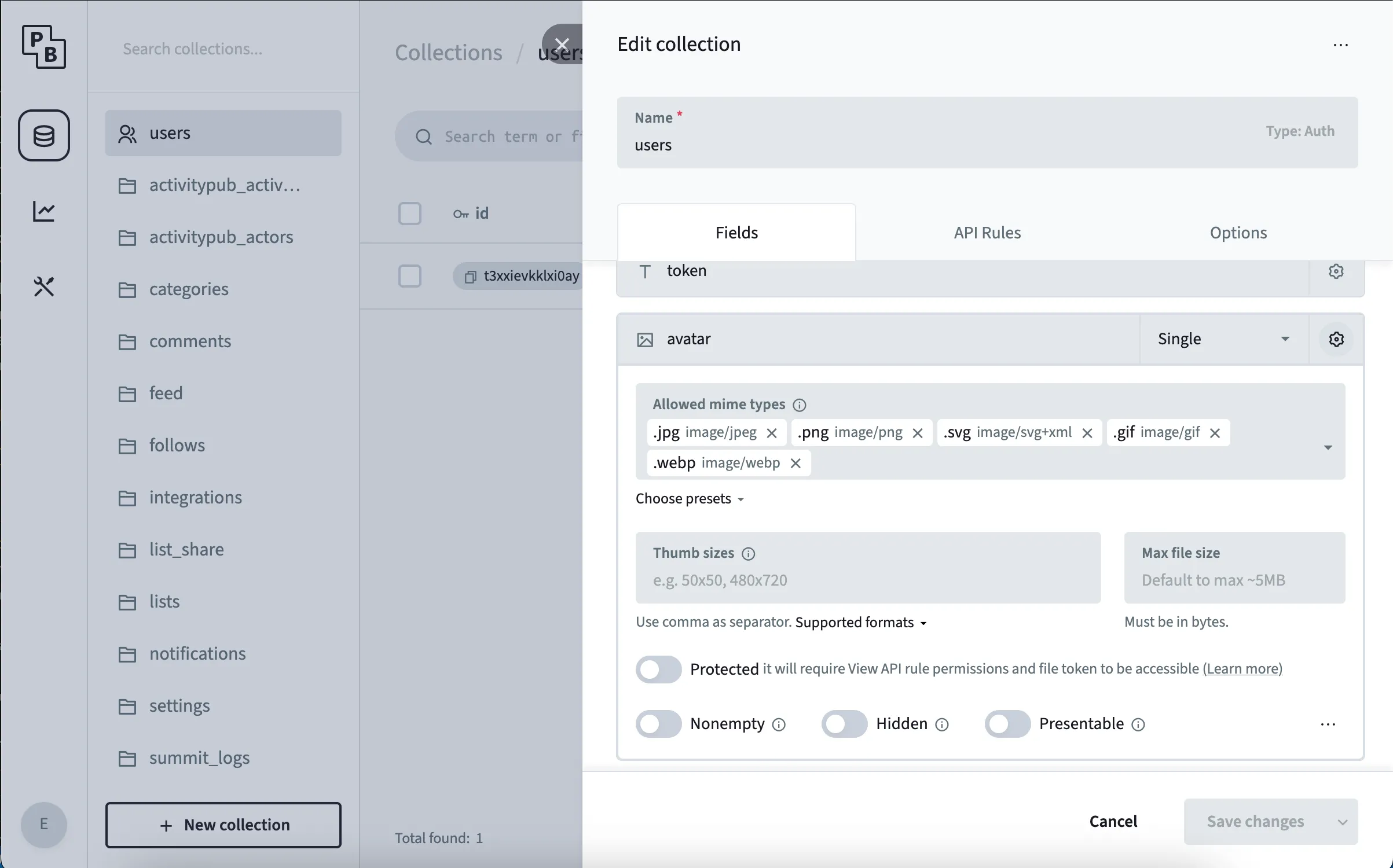
To change this behaviour open the PocketBase admin panel and navigate to the designated table.
Click the gear icon at the top to open the table’s settings and select the gear icon in the row you want to change.
Adjust the Max File Size property.