

Integrations
You can automatically sync trails to wanderer at regular intervals using the third-party integration feature. Currently, we support three providers: Strava, komoot and hammerhead.
It is important to note that synchronization only works from the provider to wanderer and not the other way around. Additionally, if a trail has already been synced to wanderer, subsequent changes made in the provider will not be transferred unless the trail is deleted in wanderer. Hammerhead also supports manual uploads from a trail’s action menu, which is separate from the nightly sync.
Strava Integration
Section titled “Strava Integration”Creating an App in Strava
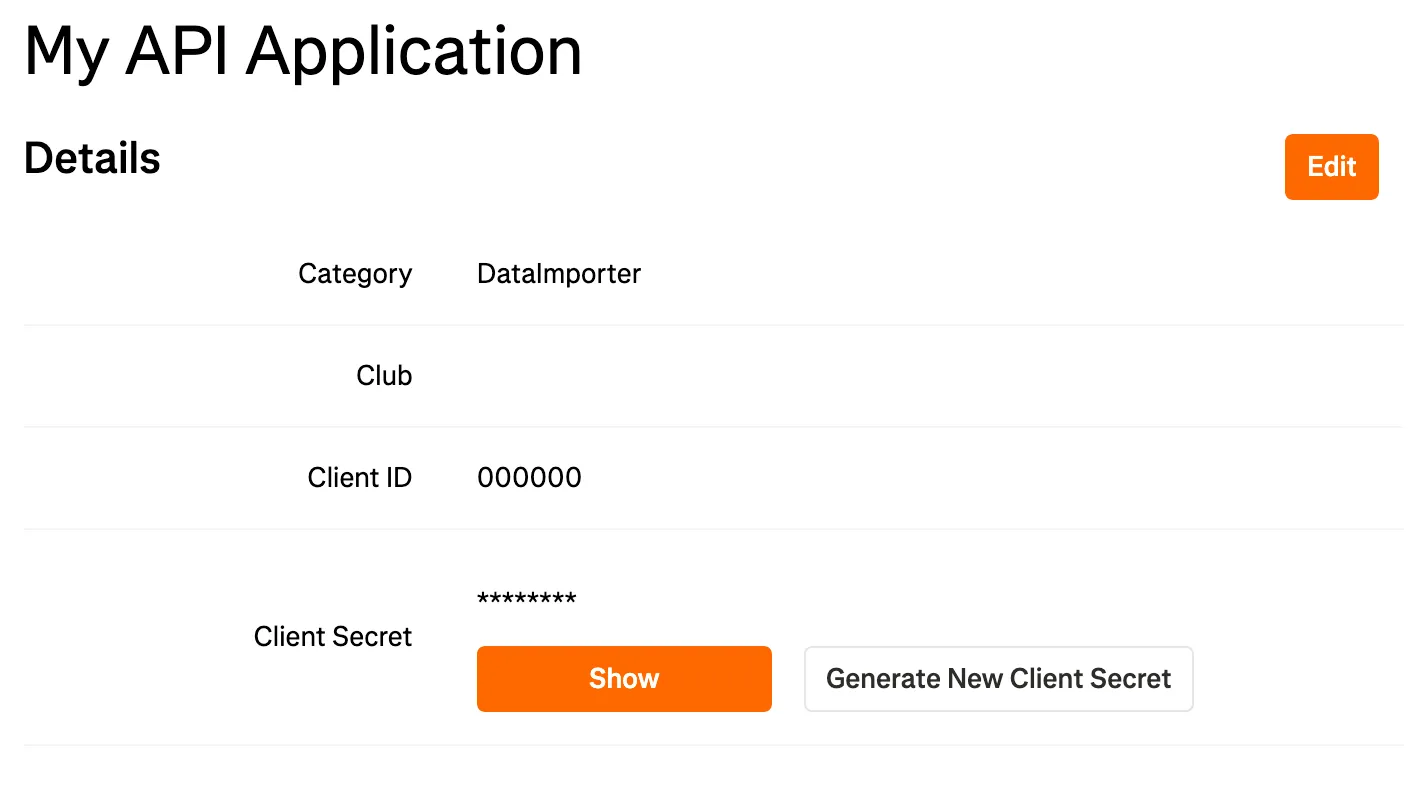
Section titled “Creating an App in Strava”Before integrating Strava with wanderer, you need to create an API application in Strava. Visit Strava’s API settings and follow the steps to create a new API application. Your setup should resemble the following:
Setting Up the Integration
Section titled “Setting Up the Integration”- Copy the Client ID and Client Secret.
- Go to the integrations page in wanderer’s settings.
- Click the settings button for the Strava integration.
- Enter your Client ID and Client Secret.
- Choose whether you want to sync routes, activities, or both.
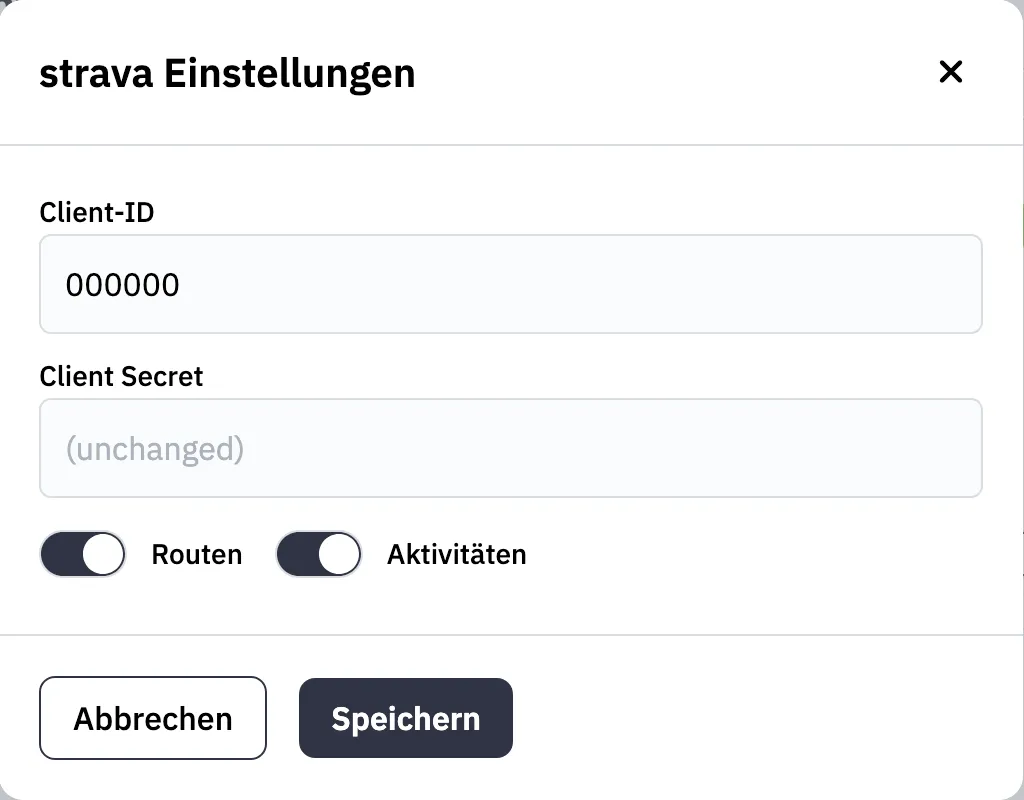
- Save the settings and toggle the integration on.
- You will be redirected to Strava’s authorization page. Keep all checkboxes selected and click Authorize.
- You will then be redirected back to wanderer. The Strava integration is now active.
komoot Integration
Section titled “komoot Integration”The komoot integration requires only your komoot username and password:
- Open the komoot settings from the integrations menu.
- Enter your komoot credentials.
- Save the settings.
- Toggle the integration on. It will become active immediately.
Your planned and completed trails will now sync with wanderer.
Hammerhead Integration
Section titled “Hammerhead Integration”The Hammerhead integration requires your Hammerhead account details:
- Open the Hammerhead settings from the integrations menu.
- Enter your Hammerhead email and password.
- Choose whether you want to sync planned tours, completed tours, or both.
- (Optional) Set an “ignore trails before” date to avoid syncing duplicates if your Hammerhead account is already connected to other services.
- Save the settings and toggle the integration on. It will become active immediately after a successful login.
Sync Interval
Section titled “Sync Interval”By default, trails are synced every night at 02:00 AM. You can modify this schedule using the POCKETBASE_CRON_SYNC_SCHEDULE environment variable.