

Configure Authentication Providers
Create an OAuth app
Section titled “Create an OAuth app”This step will vary wildly from provider to provider. Please refer to your provider’s documentation for the specific steps.
No matter your provider, you will need a redirect URL. This redirect URL must have the following format: $ORIGIN/login/redirect.
$ORIGIN refers to the ORIGIN environment variable that defines the public host at which your wanderer instance can be reached.
So for the default installation, the redirect URL is http://localhost:3000/login/redirect.
In any case, once you have successfully created your OAuth app you will receive a Client ID and a Client Secret.
Enable a provider in PocketBase
Section titled “Enable a provider in PocketBase”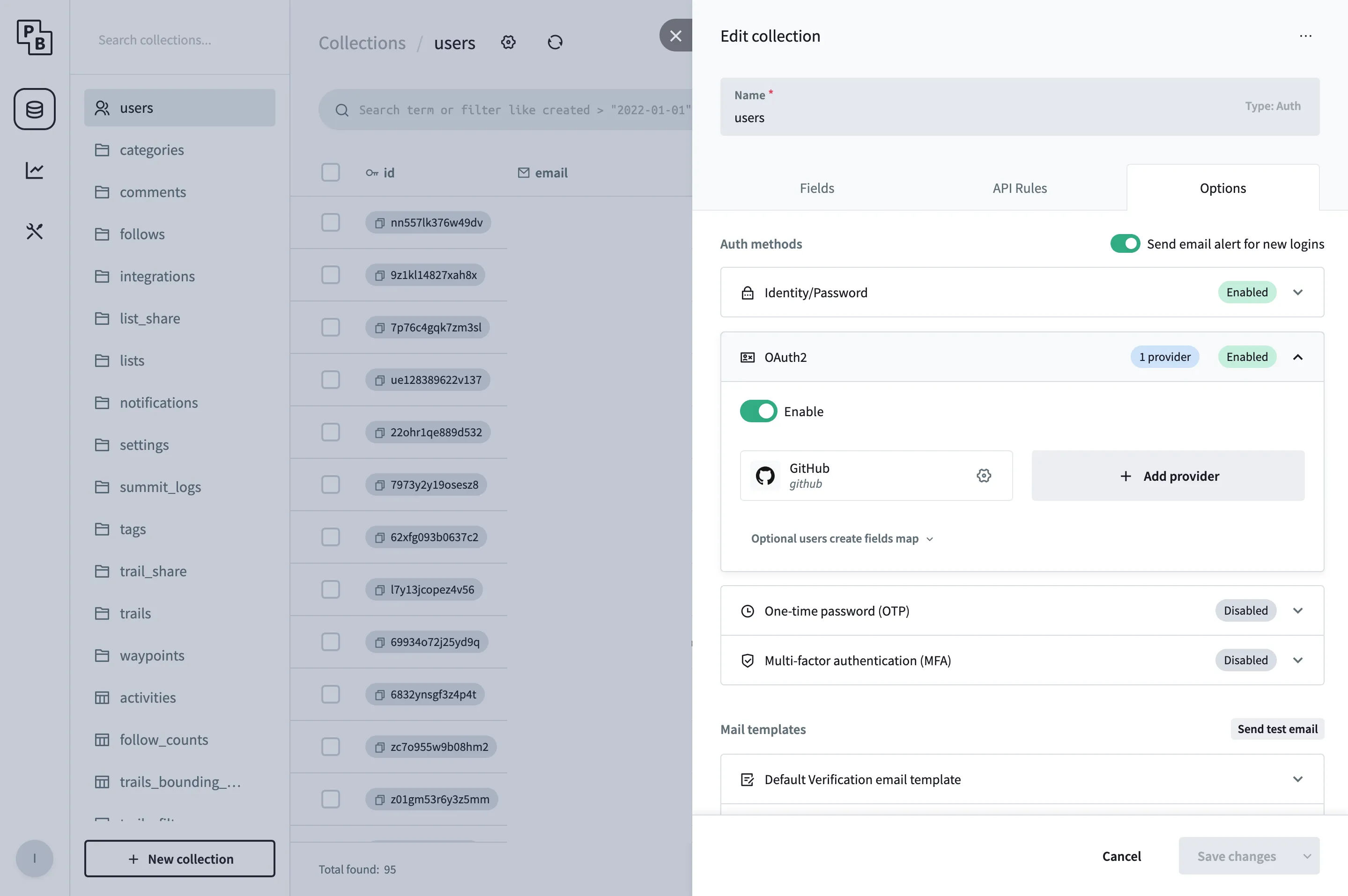
In the PocketBase admin panel navigate to the users table. Click the gear icon at the top to open the table’s settings and navigate to Options.
In the tab OAuth2, add your provider and fill in the Client ID and Client Secret from the step before and save your changes.
Disable password authentication
Section titled “Disable password authentication”After enabling the neccessary OAuth2 providers for your application you may want to disable the standard local password authentication.
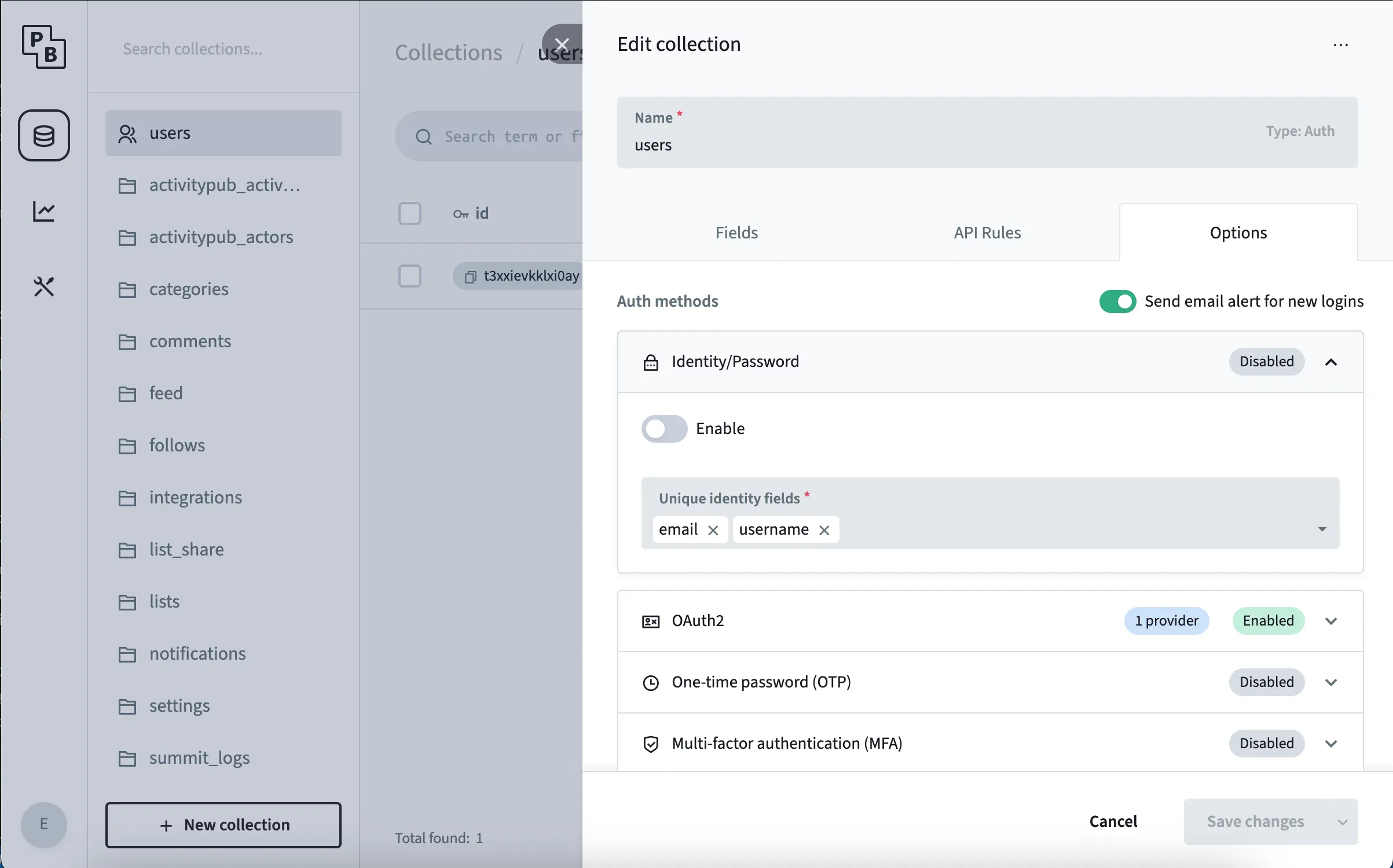
In the PocketBase admin panel navigate to the users table.
Click the gear icon at the top to open the table’s settings and navigate to Options.
In the tab Identity/Password, toggle the switch and save the configuration.